![EarthScan_ID_White_RGB-01.png]](https://knowledgebase.earth-scan.com/hs-fs/hubfs/EarthScan_ID_White_RGB-01.png?height=40&name=EarthScan_ID_White_RGB-01.png)
After reading this article, you will learn:
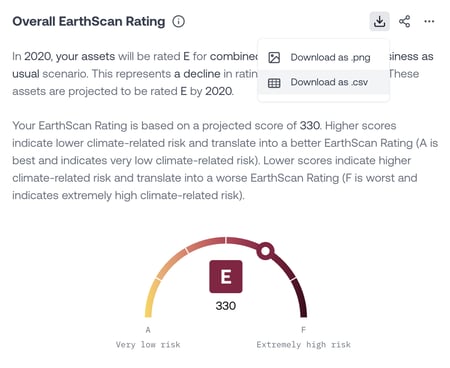
It’s simple to download the data behind each Insight in a .csv format:
- Navigate to the Insight you'd like to download the data behind.
- Click on the Download as .csv icon located in the top right corner.
- Once the download is complete, the .csv file will appear in the download section of your browser, or in the download folder on your computer.