![EarthScan_ID_White_RGB-01.png]](https://knowledgebase.earth-scan.com/hs-fs/hubfs/EarthScan_ID_White_RGB-01.png?height=40&name=EarthScan_ID_White_RGB-01.png)
After reading this article, you will learn:
What is the Time Control within EarthScan?
The Time Control is a filter option in EarthScan. This control can look back to 1970 and forwards through to the end of the 21st century to help you understand what has happened, what is happening and what could happen to your assets.
The control changes in five year steps from 1970 all the way through to 2100 (EarthScan currently allows you to select 1970 or 1975, but not 1971 or 1976, for example).
Where is the Time Control located in EarthScan?
Within EarthScan, you can find the Time Control as part of the Navigation Panel.
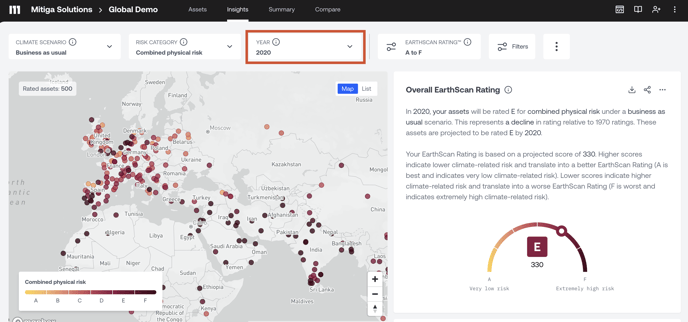
How can I use the Time Control?
There are three different ways to adjust the year in the Time Control:
- Use your cursor to slide left to explore back in time, and right to explore forward in time.
- Click the up and down arrows to move between the five year time steps.
- Type a year into the text box to jump directly to that year.